USE SKETCH TOOLS
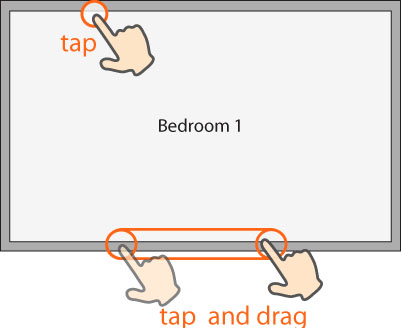
- To add the default-sized object to your sketch, tap one of the tools (for example, room, stairs, door, etc.), and then tap the Sketch workspace.
- To size the object, tap the tool, and then drag your finger along the workspace to place.